
 Star on GitHub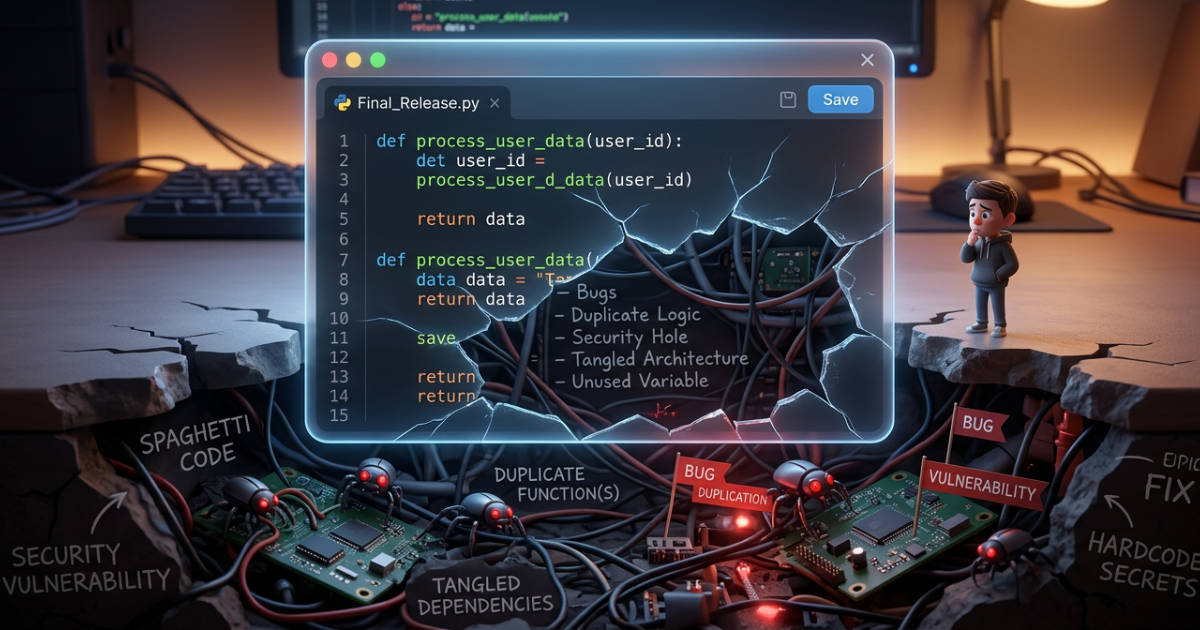
Writing quality code in the age of AI
AI has quickly become an incredible aid in writing code, but it also comes with a completely new set of challenges. Six months ago, I wrote an article about how to best set up your environment for AI-assisted code generation. It feels like a lifetime ago. The tools have evolved, and the models have gotten smarter. Here is an updated, more in-depth guide to writing high-quality code with AI in 2026.
I spent part of my career working as a software engineer at Google, an environment where everyone is obsessed with code quality. Every single line is scrutinized, reworked, tested, and approved before it ever touches the main codebase. I’ve also spent years managing large open-source projects, Cocos2d for iPhone in the past, and Serverpod today.
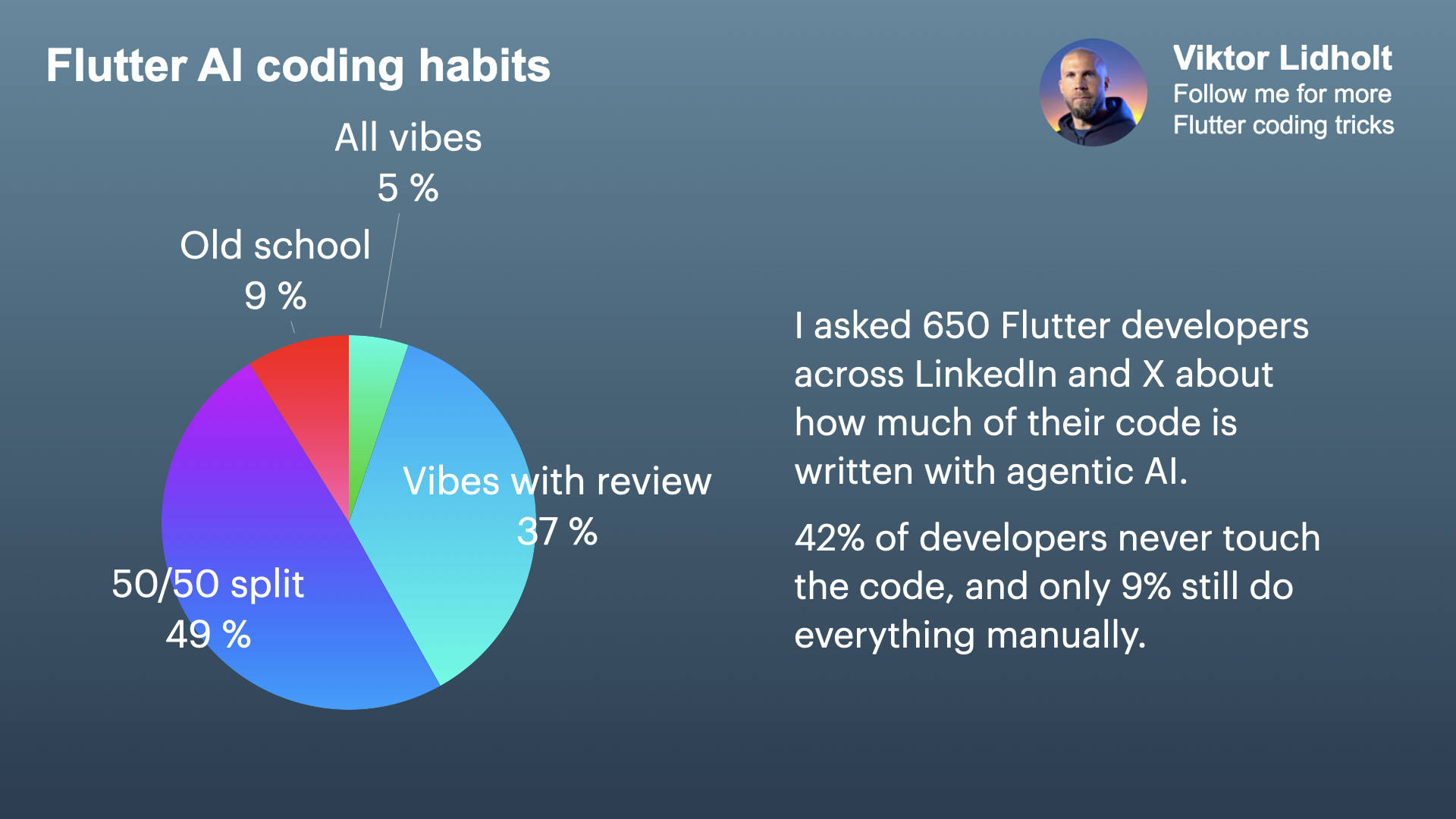
I recently ran a poll on LinkedIn and X with over 600 Flutter developers, and the results suggest that over 90% are now using AI to generate code. Now, to be fair, not every codebase needs to be held to the exacting standards of a Google repository. But if you are building large-scale applications where maintainability, security, and scalability matter, the quality of your code is non-negotiable.
Here’s the problem: AI drastically increases the speed and volume of code generation, but speed does not equal quality.
As an open-source maintainer, receiving low-quality, AI-generated code contributions is becoming a daily headache. At first glance, the code often looks legitimate, prompting you to start a proper review. But dig a little deeper, and the cracks start to show: poor architectural structure, complete disregard for the project’s established code style, and massive blind spots around edge cases.
At Serverpod, we are committed to keeping our standards impeccably high, which means we manually review everything that goes into our codebase. For complex projects, this isn’t just a preference; it’s a strict requirement to keep the codebase from spiraling out of control.
If you think this is only a problem for junior developers using basic tools, think again. A glaring example of AI-assisted development falling short is Anthropic’s Claude Desktop app. If you want a deep dive into everything that went wrong there, I highly recommend watching Theo’s recent review. It’s a sobering reminder: you would assume the engineers at Anthropic have access to the absolute best models currently available, yet the output still suffers from many fundamental flaws.
The paradigm shift
We are moving away from writing every single line of syntax to guiding an AI through prompts and aggressively reviewing its output. You have to stop thinking of yourself as a typist and start acting like a director.
The greatest trap of this new workflow is the Illusion of Competence. AI-generated code is incredibly convincing. It uses the right variable names, formats perfectly, and looks correct on a quick scan. But underneath that polished surface, it often hides subtle errors that only a seasoned engineer will catch.
The hidden risks of AI-generated code
If you blindly trust what your AI assistant spits out, you are going to introduce technical debt at an unprecedented scale. Here are some of the problems you need to watch out for:
Bias toward the average
AI models predict the most statistically probable code based on their training data. This means they often suggest the most generic, widely used solutions. What is statistically common is rarely the most modern or best-suited approach for your highly specific use case. Do your own research on the best-suited frameworks, tools, and algorithms for your project.
Reinventing the wheel
AI loves to write custom, verbose implementations of standard problems rather than leveraging established, battle-tested libraries, frameworks, or even built-in language features. When reviewing the generated code, ensure it properly reuses established patterns and methods. Check whether there are already trusted libraries available.
Security vulnerabilities
Models are trained on vast amounts of public code, much of which is outdated or fundamentally insecure. If left unchecked, AI will confidently introduce SQL injections, poor cryptography, and deprecated authentication patterns. Always perform an in-depth review of any code that could introduce vulnerabilities. It may be acceptable to skim over your client or app code, but your backend must be solid.
Spaghetti code
AI excels at writing isolated functions, but it often struggles with broad system architecture. Relying too heavily on AI generation results in fragmented, tightly coupled, and highly duplicated code. Sometimes, it’s worth writing or heavily steering the initial architecture of a project to establish its foundational patterns. That way, it’s easier for the AI to fill in the gaps and follow the rules of your codebase.
AI laziness
Models often suffer from output-token fatigue. If you ask an AI to apply a change across five files, it might perfectly update the first two, partially update the third, and leave the rest up to you. Always double-check that the implementation is actually complete.
The black box problem
Integrating AI-generated code that you don’t personally understand is a ticking time bomb. When it inevitably breaks in production, debugging it will be a nightmare. When you use AI to generate most of your code, you still need to keep an understanding of how it works.
Hallucinations
AI models are infamous for hallucinations, and the problem extends far beyond just inventing non-existent APIs or importing deprecated packages. They can construct complex semantic hallucinations: the code compiles and runs without crashing, but silently executes the wrong logic. Because LLMs are probabilistic engines designed to generate plausible sequences rather than strict factual truths, they will write these fabrications with such conviction that you might question your own knowledge. Always verify unfamiliar methods against official documentation and consider adopting automated verification steps, such as using a secondary, isolated AI agent specifically prompted to critique and fact-check the primary agent’s output before it reaches your review queue.
Best practices for ensuring quality
So, how do we harness the speed of AI without sacrificing the quality of our codebase? It generally boils down to strict practices and better context engineering.
Mastering prompting
Your prompts need to enforce your project’s specific style guides, architectural patterns, and constraints. Here is an example.
❌ Bad prompt: "Refactor this authentication file."
This relies entirely on the AI’s generic training bias and invites massive architectural drift.
✅ Good prompt: "Refactor the login method in
auth_endpoint.dartto extract the session handling logic into a separate helper class. Ensure you use our existingResulttype for error handling instead of throwing exceptions. Do not alter the cryptography functions. Write tests for the new helper using the standard Dart test package."
This is highly constrained, explicitly mentions internal types/libraries, and sets clear boundaries.
Context engineering
Stop manually copying and pasting your rules into every prompt. Organize your project so the AI always knows the rules. Here are the most important ways to improve your agents’ context.
Encoding rules with AGENTS.md
Implement an AGENTS.md file at the root of your repository. This is essentially a README for agents and is always included in the context. Use this to encode project-level rules, such as your preferred testing frameworks, package managers, and strict architectural constraints. However, since it’s always included, it’s important to keep it tight and include only what’s essential for your agent to know. Bloating the context with too much irrelevant information will lower the agent’s performance and confuse it.
Bundling knowledge into skills
In addition to the AGENTS.md file, you should also utilize the emerging agent skills standard to bundle domain-specific knowledge, reference documentation, and workflows into modular entities. This approach allows the AI to lazy-load specialized instructions only when a specific task requires them. In practice, this saves valuable token context while still providing expert-level guidance exactly when needed.
Added capabilities with MCP
While skills are useful for baseline static context, the Model Context Protocol (MCP) is useful for equipping the AI with additional tools. It bridges the gap for service interactions, like securely querying live databases or updating Jira tickets, that the AI couldn’t otherwise access on its own.
Directing the AI
Once you have established the right context, the next crucial step is how you interact with the AI during the actual coding phase. Being an effective director means picking the right model for the task, knowing when to guide the architecture, how much code to generate at once, and when to step in and take over entirely.
Picking the right model for the job
Not all AI models are created equal, and part of being an effective director is casting the right talent for the scene. Fast, lightweight models are excellent for rapid autocompletion, generating boilerplate, or executing simple, well-defined refactors. However, they will stumble if you ask them to untangle complex logic or design an intricate database schema. For tasks requiring deep reasoning, navigating a large number of files, or solving difficult architectural puzzles, you need to switch to heavier, more capable reasoning models. These take longer to generate an answer, but their ability to think through complex code is vastly superior. Trying to force a fast model to do heavy lifting will result in subtle bugs and frustration, while using a heavy reasoning model for trivial changes will unnecessarily bottleneck your workflow.
Architectural direction vs. brainstorming
It is incredibly helpful to use AI collaboratively to brainstorm and explore architectural options. But once it’s time to actually write the code, you need to firmly take the reins. Always provide clear, rigid architectural directives rather than letting the AI decide how the pieces fit together.
Generating in small chunks
Keep your prompts strictly scoped. Generating smaller outputs avoids cognitive overload during the review process, making it much easier for you to verify the logic and catch subtle errors before they snowball.
Knowing when to write code manually
You must recognize the threshold where AI becomes a hindrance rather than a help. For highly complex logic, novel architectures, or niche domains with limited training data, fighting the AI with endless prompt revisions often takes much longer than simply writing the code yourself.
The golden example
One of the most effective ways to steer an AI agent is to give it a high-quality example from your own codebase. Spend the time to create one implementation that shows the structure, naming, error handling, tests, and style you want future code to follow. Then make that example easy to reference, either by turning it into an agent skill or by pointing the agent to it directly when you prompt.
Aggressive code review
Reviewing AI code requires more scrutiny than reviewing human code, not less. When reading through generated pull requests, focus intensely on edge cases, state management, and business logic, as these are the areas where AI most commonly falters.
Test-driven development
Test-driven development, or TDD, is your ultimate safety net in the AI era. Ensure rigorous unit and integration tests are written for all AI-generated logic, and use them to define the expected behavior before you ask the agent to implement it. The important part is that tests remain an independent source of truth: review any changes to them carefully, and make sure they run in your CI pipeline so they are never forgotten.
Keeping code modular
Break down complex problems into smaller, testable functions before handing them off to the AI. Ensuring the generated code fits neatly into your wider system is paramount. Honestly, this is just good advice regardless of how the code is written, but it becomes critical when delegating to AI.
Automating verification
The biggest efficiency gain comes when your AI assistant can see the same feedback you do. Configure your linters, compilers, and test runners so errors flow directly into the agent’s context. This creates a fast loop where the agent can diagnose failures, propose fixes, and rerun checks without you manually copying output between tools.
You can extend the same idea into CI. When a pipeline fails, provide the agent with the diff, failing logs, and relevant test output, then have it suggest a fix or even make a pull request. The important part is that the agent should not be the final authority. Your CI pipeline remains the gatekeeper for regressions, integration issues, and security-sensitive code.
AI can also help with cleanup and review tasks that are easy to postpone: finding duplicated logic, removing dead code, checking for stale comments, and reviewing its own generated changes before you look at them. Used this way, AI becomes part of your quality process rather than just a faster way to generate more code.
Conclusion
AI is an incredibly powerful amplifier. But remember: it amplifies bad practices just as easily as good ones.
Building software at scale still requires excellent developers to ensure that all the disparate pieces actually fit together safely and securely. If our goal as an industry is to build better, more reliable software, then the conclusion is simple: the developer is still the ultimate gatekeeper of quality.
Code is cheap, your brain isn’t. So, slow down and take ownership of the code you produce.