
 Star on GitHub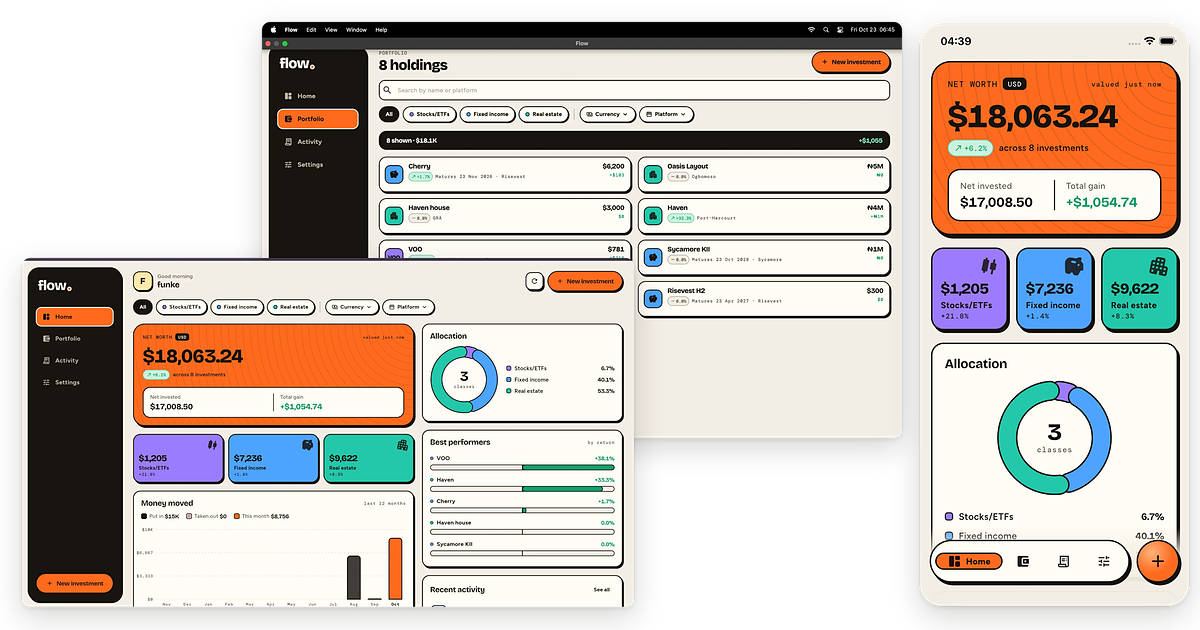
From Zero Dart Experience to Shipping my First Cross-Platform App
AI coding agents have made it easier to build an app from an idea. However, when an app requires user authentication, database persistence, and server-side logic, it needs a structured backend. I hit this wall while trying to build an app to track my personal investment portfolio.
My assets were scattered across multiple platforms. To work out my net worth, I had to open several apps, check the value of different assets, and manually update a spreadsheet. Existing portfolio trackers often focus on a single asset class and I couldn't find one that brought everything together, including real estate and mutual funds. So I decided to build my own. I knew an AI coding agent could help, but I wasn’t willing to trust it with unsupervised backend logic, particularly when dealing with financial data.
What I wanted to build
I wanted a single dashboard that showed my net worth in USD, regardless of where my money was invested.
-
Stocks and ETFs: Log holdings, buy and sell orders with transaction fees, and live performance based on real-time market prices.
-
Fixed income: Record principal amounts, interest rates, payment schedules, tax withholding, and maturity reminders.
-
Real estate: Track purchase prices, current property valuations, rental income, and sale profits or losses.
-
Portfolio dashboard: Display net worth, general investment performance, total invested versus total gained, and asset allocation breakdowns.
How I built the app
I recently joined the DevRel team at Serverpod, so I decided to use this project to get my first hands-on experience with the framework. With no prior Dart or Flutter experience, I wanted to see if an AI coding agent could help me build a full-stack app I’d trust with my own financial data.
Serverpod is an open-source full-stack framework for Flutter, written in Dart, with built-in database management, authentication, and client code generation. Each project comes with an MCP server, agent skills, and hot reload to help AI coding agents build, run and inspect an app as they work.
Setting up the project
I followed the quickstart, installed the Serverpod CLI, and created a new project. The project gave me a Flutter frontend, a Dart backend, and a PostgreSQL database to build on. With the project running locally, I opened it in my agent and started describing the app I wanted to build.
Building user account and authentication
Holdings, transactions, and net worth are sensitive information, so every user needs an account and no one should be able to see anyone else’s data.
I described the authentication requirements to my agent, which used Serverpod's built-in authentication system to implement the flow and build the corresponding screens. I got a complete setup with sign-up, email verification, and password reset. New users confirm their email with a code before they can sign in, and anyone who forgets their password can reset it.
With accounts in place, users were ready to start logging investments. Each investment type is valued differently, so I built them one at a time.
Adding the stocks and ETFs tracker
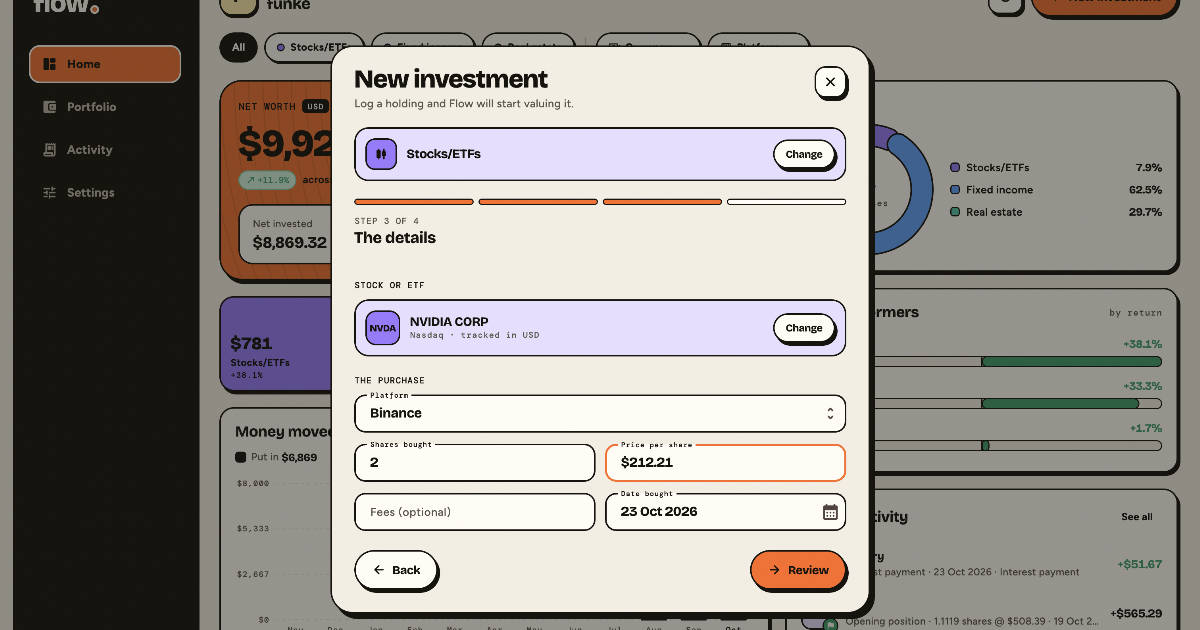
For stocks and ETFs, I had to plan for two kinds of users. Some already have existing stocks, and others have just made a new purchase. I described both cases to my agent, and it built the tracker for each. A new purchase is logged with its date, shares, price and fees. An existing holding only needs the shares owned and the average price paid.
Once it’s saved, the app calculates the average cost, fetches the live market price, and works out the holding’s current value and gain. Users can see how their holdings are performing without calculating anything themselves.
Adding the fixed income tracker
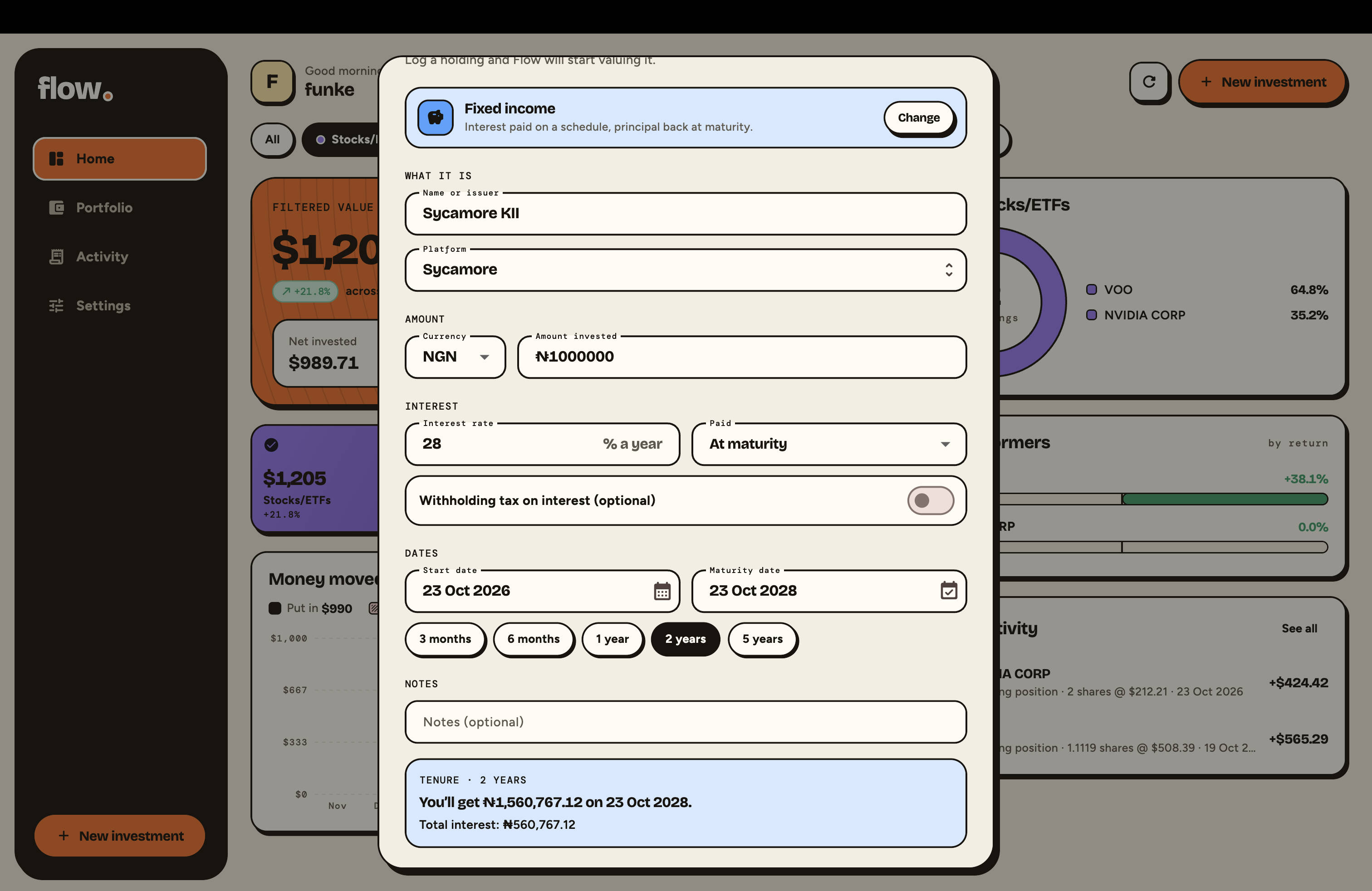
Fixed-income investments were more complex because interest could be paid monthly, quarterly, or only when the investment matured. I needed a single workflow that could handle these different arrangements. The tracker records the principal, annual interest rate, start and maturity dates, payment frequency, and withholding tax. The app uses these details to calculate expected payments and record interest as it becomes due. At maturity, users can record whether the principal was withdrawn or reinvested.
Getting this feature right took several iterations. I redesigned it three times as I refined the workflow and requirements. Each redesign involved database changes, and the agent generated migrations that I could review before applying. When I introduced automatic interest payments, it also identified the parts of the Flutter app that needed updating.
This made it easier to evolve the feature without losing sight of the database changes and their impact on the rest of the application.
Adding the real estate tracker
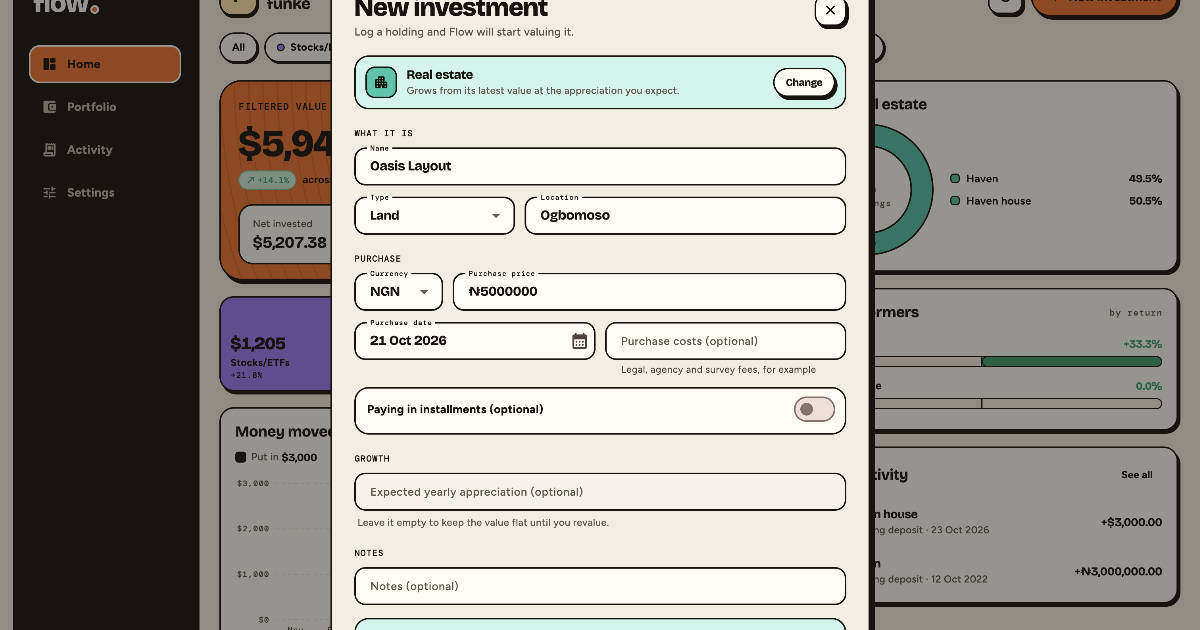
Real estate needed its own approach because a property can be bought outright or paid for in installments. I explained both cases to my agent, and worked through how the app should track purchase costs, payments, and property valuations over time.
The tracker estimates changes in property value between valuation updates and calculates the owner's equity after deducting outstanding payments. When a property is sold, it calculates the resulting profit or loss. The app also reminds users to update valuations after a year.
Bringing everything together in the dashboard
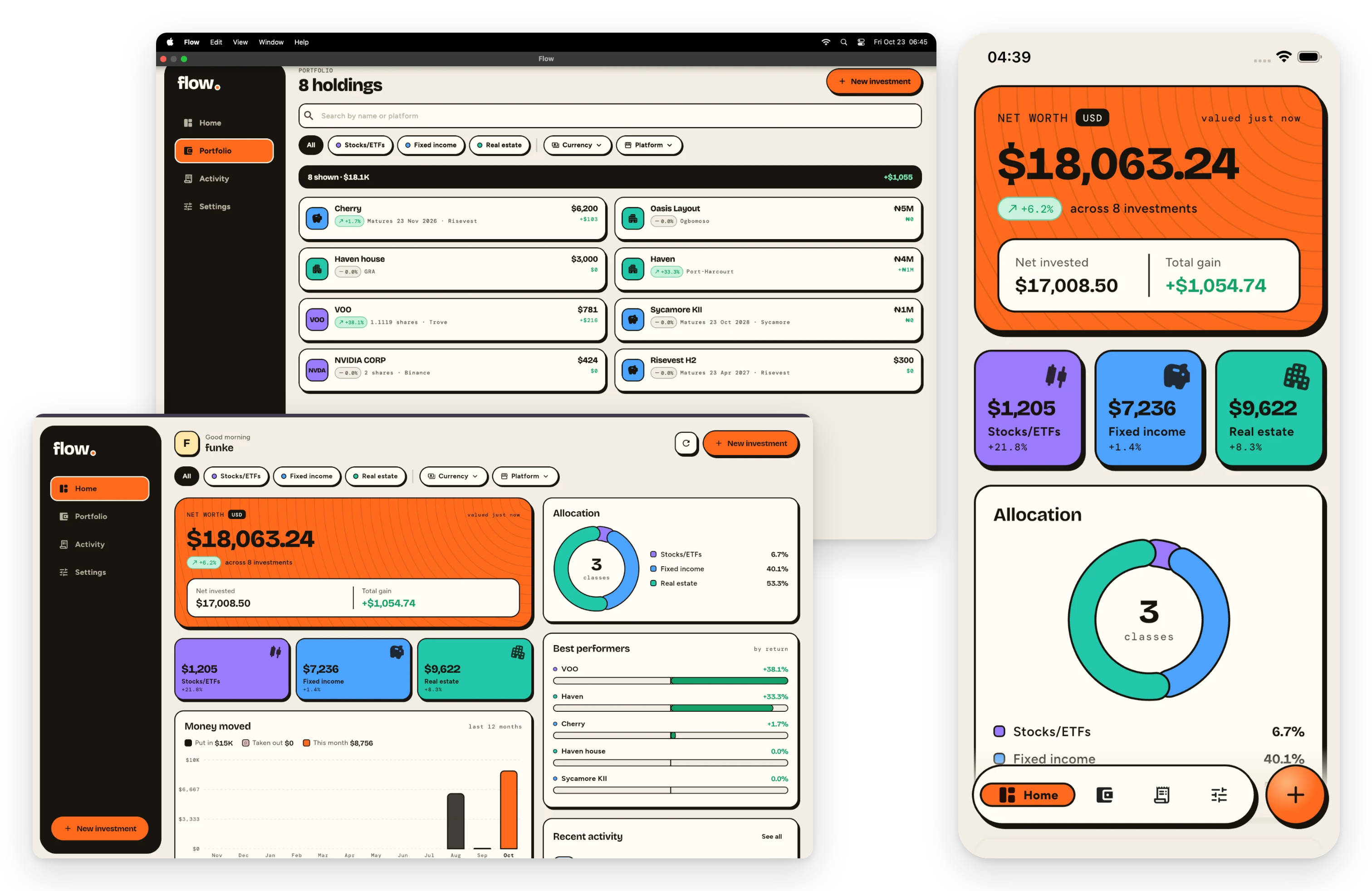
With these first set of trackers in place, I prompted my agent to bring everything together in a dashboard showing my net worth in USD, investment gains, asset allocation, and best-performing investments. I also wanted to filter the figures by asset type, currency, and platform.
Behind the scenes, the app applies each tracker's valuation rules, converts values to USD using daily exchange rates, and aggregates everything into a single view. Now, I could see all my investments in one place without having to piece the numbers together myself.
Running the app across platforms
Expanding beyond the web app was an immediate bonus. Since the app was built with Flutter, the code for other platforms was already in place. With a few commands, I was running native builds on iOS and macOS locally, without touching any platform-specific code. The interface adapted to different screen sizes, so I didn't need to build a separate app for each device.
Making the app public
Now that the app worked locally, I wanted to share it with friends who had the same portfolio-tracking problem. I created a Serverpod Cloud account and deployed the project directly from my terminal with a single command.
After selecting the API keys to make available in the cloud, Serverpod Cloud handled the deployment, including setting up the backend and production database, in less than five minutes. With deployment complete, the web app was live and connected to its production backend.
What’s next?
The app is still in its early stages and I’m adding trackers for more asset types. However, seeing it come together across platforms with a production backend has me considering turning it into a real product and eventually publishing it on the app stores.
Serverpod provided the structure and tools the agent needed, helping me go from an idea to a working app that I can publish for web, iOS, Android, Windows, and macOS.
If you’re building with AI coding agents and want to move beyond frontend prototypes to working cross-platform apps, the Serverpod quickstart is a good place to start.