
Extending your app to multiple platforms without rebuilding it
Every new business faces the same question on day one, “Where should we launch first?” For most products, the website is the obvious answer. It’s fast to set up, easy to update, and anyone with a browser can use it. You don’t have to wait for app stores to approve your updates, and users can test your idea in minutes.
As the business grows, users start asking for mobile app or desktop app functionality. This is where things can get expensive. In many tech stacks, adding a platform means hiring a separate team to build a new app and recreate every feature already built for the web.
Expanding your product to support different client platforms shouldn't mean starting from scratch. However, how you build your first app can determine how much work it takes to extend to new platforms later.
When the business outgrows its first platform
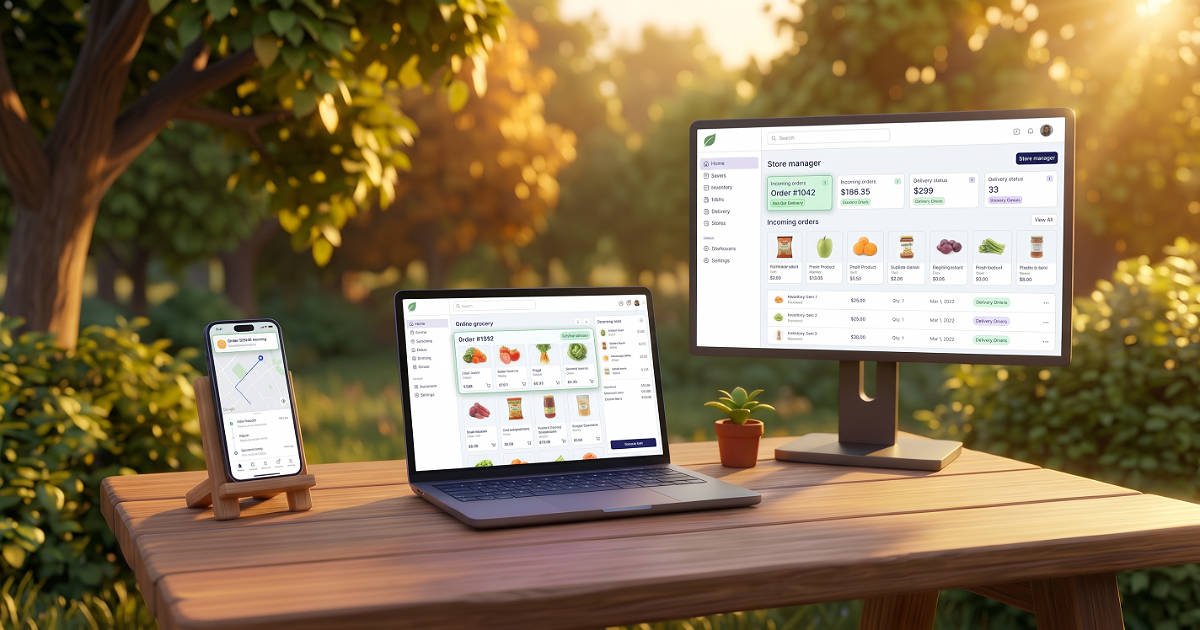
Consider a growing grocery store launching an online delivery service. They start with a website where customers can browse products and place orders, while store managers handle incoming orders and a third-party courier handles all the deliveries. As courier fees add up, the team decides to bring delivery in-house and hire its own drivers. This introduces new requirements:
- Drivers need reliable background location tracking, navigation, and access to routes when they lose their internet connection.
- Customers want a push notification on their phones when their driver is approaching, rather than an email they might miss.
- Store managers need a dedicated workspace to process orders, scan product barcodes, manage inventory and coordinate multiple deliveries.
The new business direction has introduced requirements that are better served by mobile and desktop applications. While kicking off with the web was the right call to get the online store running quickly, the next question is, “What does it cost to extend the app to the different client platforms now required?”
The cost of adding a new platform
When extending an existing app to other platforms, teams usually have these options:
- Build separate native apps: You hire separate teams to build different apps for mobile and desktop with their respective technologies. When there’s a new feature or fix, it must be implemented and tested multiple times across each app. This can cause the apps to slowly drift over time.
- Turn the website into a Progressive Web App (PWA): A PWA allows users to install your website on their home screen without going through an app store. You can continue maintaining one web application, and updates are delivered through the website. However, PWAs still depend on browser capabilities. Some background tasks and notifications can be restricted compared to an app from the store.
- Wrap the website in an app shell: You package your existing website inside a native container so you can distribute it through app stores. While this can be a convenient way to make an existing web app available as an installable app, the app still relies largely on its web-based interface. Accessing native capabilities may require additional plugins or custom native code.
Building cross-platform apps with Flutter
Instead of working around browser limitations or rebuilding separate native apps, using a cross-platform framework is a more practical way to expand your product to new platforms. Flutter is an open-source framework that allows you to build applications for web, mobile, and desktop from a shared codebase. Flutter apps are written in Dart.
For the grocery store, using Flutter means the same codebase for the website can be published as desktop and mobile apps. They only need to add code for device-specific features, like GPS tracking for drivers or push notifications for customers.
For full-stack apps, extending the frontend is only part of the job. Behind every UI is a server that stores the orders, delivery routes, and inventory. Each client app relies on that server to give customers, drivers, and managers accurate information.
Going full-stack with Serverpod
In most setups, that server is built separately from the client apps with a different language. When the team adds a new feature, they build it on the server first, then update each client app to request and display the new information. Both sides must be kept in sync by hand. If the server changes and the app isn’t updated to match, users could run into errors or missing information.
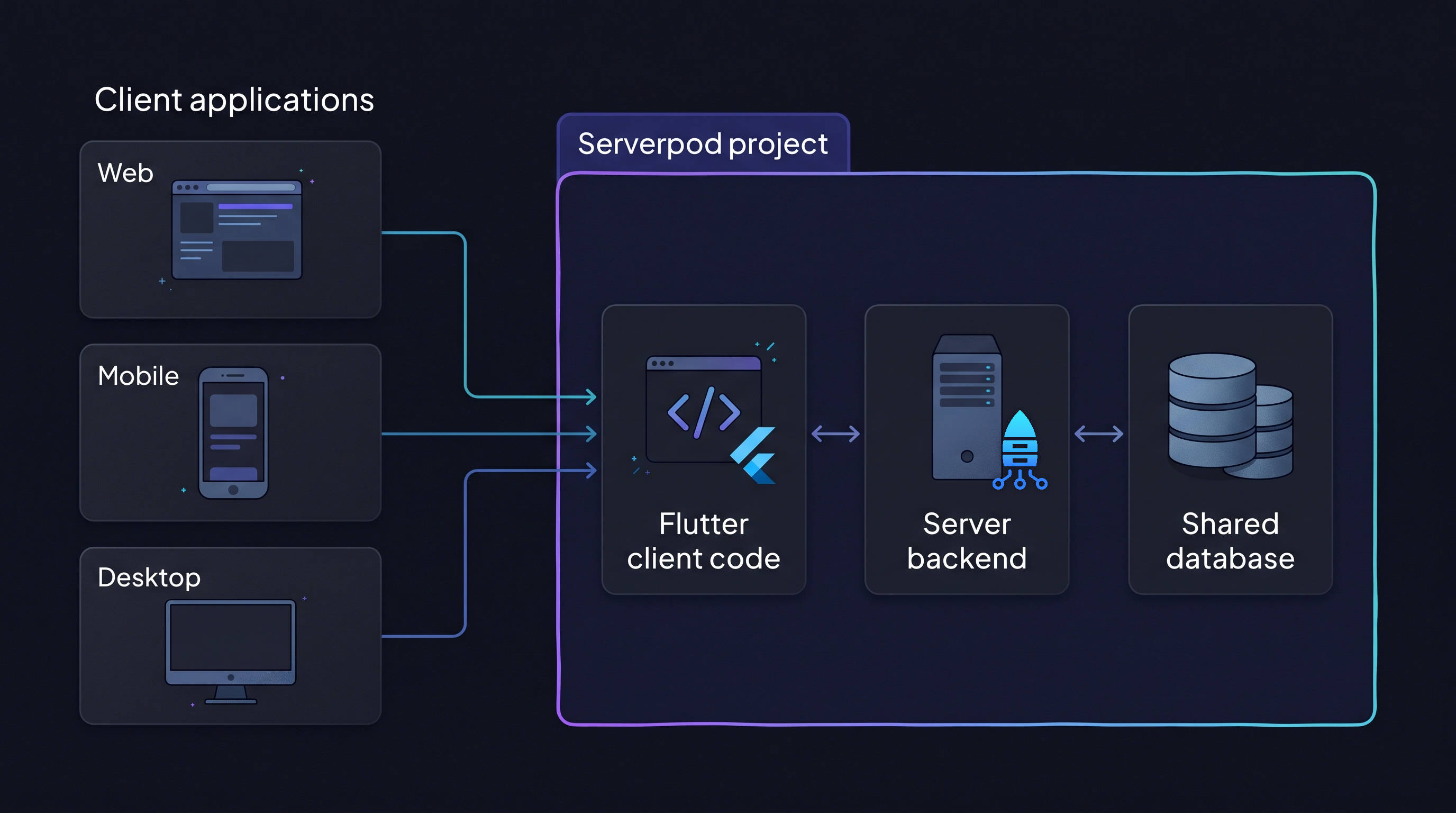
Serverpod removes that manual step. It’s a full-stack framework that keeps your database, backend, and Flutter apps for web, mobile, and desktop in a single project. The backend is written in Dart and Serverpod automatically generates the code your client apps use to connect with it. Whenever you add a feature on the server, every app can use it, so your web, mobile, and desktop apps stay in sync. When you’re ready to go live, you can deploy to Serverpod Cloud.
For the online grocery store, expanding to in-house delivery means adding a mobile app and a desktop app without building either from scratch. The same Flutter codebase that runs the website also runs on mobile and desktop, connected to the existing backend. You can now focus on native features that are unique to each platform, like background location tracking and push notifications on mobile.
Choose a stack that grows with your business
You don’t have to build for every platform on day one. With Flutter and Serverpod, you can launch on the platform that fits your product today and add new platforms when your business needs them. Your existing backend and database remain in place, while Serverpod generates the client code each new app needs to communicate with them.
So where should you launch first? Wherever your users are today.